
Power Bank Not Charging? Check the Setup Before Replacing It
By Robert PetersonA charging problem is easier to solve when you work through one connection at a time. Start with the cable, the correct input or output, and the charging indicator. This Techsmarter guide takes you through those steps, with email support available when you need a hand with your model.
Start with the condition of the equipment
Do not continue charging a visibly damaged or swollen battery pack. If there is unusual heat, odor or damage, stop using it and contact the manufacturer for instructions. Do not open the enclosure or attempt a battery repair.
If the equipment appears normal, note what happens when you connect it. Does an indicator come on? Does the phone show a charging icon? Does the problem occur with one device or every device? This observation is more useful than assuming that a blinking light means the same thing on every model.
If the power bank will not recharge
- Confirm the input: use the port identified for charging the bank. A USB-A output is not automatically an input.
- Check the power source: try a known-working outlet and a compatible wall adapter.
- Check the cable: look for damage and try another suitable cable without changing every other component.
- Read the indicator instructions: follow the model’s description of charging and full-charge signals.
- Record the result: note the adapter rating, port used and indicator behavior for support.
Keep the first check simple: one bank, one cable and one appropriate adapter. Disconnect other devices so that you are checking recharging alone.
If the bank charges but the phone does not
Confirm the bank has charge, then use a supported output and the correct cable. Try the phone with a known-working charger to help separate a phone-side problem from a power-bank-side problem. Follow the bank’s instructions for any power button operation.
For iPhone, Apple’s charging troubleshooting guide includes checking the cable and adapter and inspecting the connection. Follow the device maker’s cleaning instructions; do not improvise with metal tools inside a port.
For wireless charging, check the phone’s support, alignment and case requirements. A failed wireless test does not by itself prove that the bank’s wired outputs are faulty.
Avoid a generic reset recipe
Use the button and indicator instructions for your exact Techsmarter model, or email support@techsmarterusa.com for help. Keep inputs and outputs connected only as instructed for normal charging.
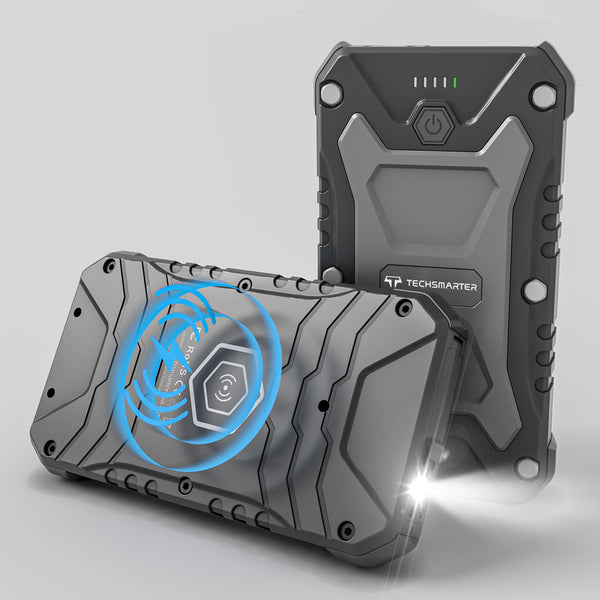
Owners of rugged products such as the TSBar Rugged 10,000mAh should also check the port-cover and dry-connection instructions. A rugged exterior does not change which ports are inputs or make wet connections suitable for charging.
Get help with the useful details
Email support@techsmarterusa.com with your order number, model, device, adapter and cable details, plus the checks you tried. Techsmarter usually responds within 24 hours. Include relevant photos if they show the connection or indicator behavior.
For help with an existing purchase, email support@techsmarterusa.com with your model and order details. If you are expanding your kit, the Techsmarter portable charger range offers magnetic, rugged and laptop-capable options for different routines.
Describe the failure before asking for a replacement
| Observation | Next useful check |
|---|---|
| No input charging indicator | Confirm the designated input, compatible adapter and known-working cable. |
| Bank has charge; phone reports no power | Try a supported output and check the phone with another suitable charger. |
| Wired works; wireless does not | Check device support, case and coil alignment. |
| Charging starts but slows | Read the slow-charging guide. |
Include your model and a photo of the port or indicator when emailing support. Indicator colors and button sequences differ; follow the exact model’s instructions rather than a generic reset recipe.
Frequently asked questions
Should I buy a replacement immediately?
First check the setup and contact support. A cable, adapter or compatibility issue can look like a failed battery pack.
Should I press and hold the button for a reset?
Only if the exact product instructions specify that procedure.
Does one failed cable prove the power bank is faulty?
No. Test a suitable known-working cable and supported device before drawing that conclusion.
Help with the charger you already own
Email support@techsmarterusa.com with your Techsmarter model, the device you are charging and what the indicator shows. A photo of the connection can help the team understand your setup. Getting useful help is part of owning the product, from choosing a cable to getting your everyday charging routine working again.
Need help with your setup? Email support@techsmarterusa.com with your device model.
Sources and product details
- Apple: if your iPhone will not charge
- Techsmarter warranty
- TSBar Rugged 10,000mAh 22.5W Power Bank specifications
Techsmarter model details are available on the product pages linked throughout this guide.