
Will Wireless Charging Work Through Your Phone Case?
By Robert PetersonThe right case makes magnetic charging feel simple: place the pack against the phone and keep going. MagBoost combines portable battery reserve with magnetic wireless convenience for supported phones and cases. Here is how to choose a comfortable fit and a format you will enjoy using every day.
Check the phone, case and charger together
Pair a supported phone with a magnetic case designed for that model. Give the MagBoost pack room to sit flat around the camera area, then choose the capacity and grip or stand format that fit your routine.
A magnetic case designed for your phone can help position a compatible accessory. However, magnetic attachment alone does not add wireless charging to a phone without the required charging hardware. It also does not certify a particular wireless speed.
Watch for the parts of a case that get in the way
Apple advises trying a case-free charge if an iPhone has trouble charging through a thick, metal or battery case. Cards and other objects should not sit between the phone and charging surface. See Apple’s wireless charging instructions.
For a magnetic pack, also examine how it sits against the back of the case. A raised grip, stand or camera surround may affect placement. Check the case and accessory instructions instead of assuming every case with a visible ring has the same fit.
There is no universal case-thickness limit in this guide. Use the limit specified for the actual charger and case rather than a number borrowed from a different product.
Choose a battery pack or a powered pad
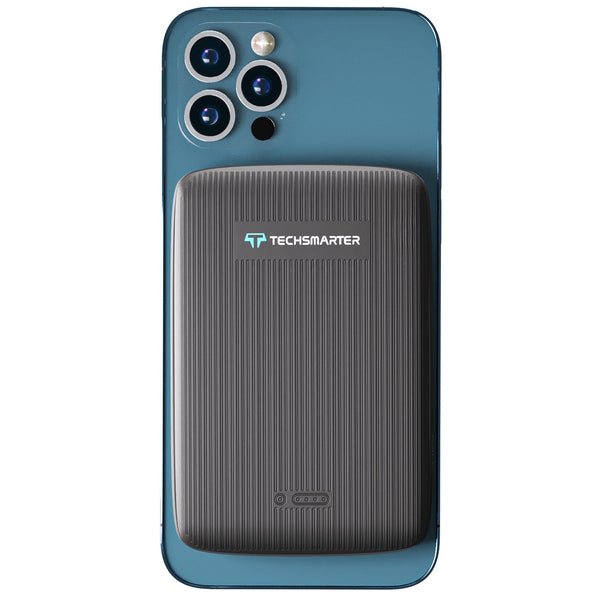
The MagBoost 10,000mAh Magnetic Power Bank brings portable battery reserve to supported phones and magnetic cases. Choose it for the part of your day spent away from an outlet.
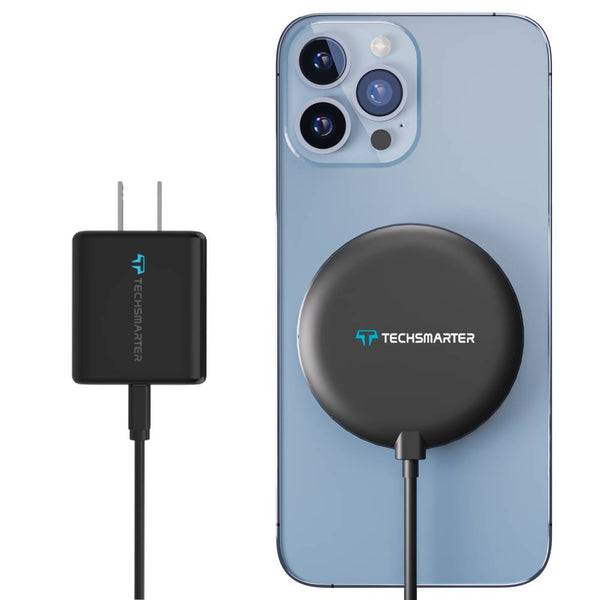
The MagBoost Magnetic Charging Pad with Wall Charger creates a convenient desk or bedside charging spot. It includes a built-in USB-C cable and an 18W USB-C PD adapter to power the pad; wireless charging follows the supported phone-and-pad mode.
Choose the format first. A charging pad does not become a portable battery simply because it attaches magnetically.
Run a short compatibility check
- Confirm the phone is supported by the selected charger.
- Power the pad with the recommended adapter, or recharge the battery pack.
- Position the phone as instructed and check its charging indicator.
- If charging does not start, remove the case and test again where the product instructions permit.
- If the case-free test works, check the case requirements before replacing the charger.
Once you find a working setup, try it in the place you normally charge. A bedside pad and a battery pack you hold while reading put different demands on fit and attachment.
Find the right MagBoost setup
Compare MagBoost portable chargers, or read our 5,000mAh versus 10,000mAh guide to choose your reserve. Send support your phone and case model if you need help checking the combination.
More options for your setup
Use a phone-and-case fit checklist
| Configuration | What to verify |
|---|---|
| Supported MagSafe-equipped iPhone without a case | The chosen MagBoost listing covers the exact phone; camera area clears the pack. |
| Supported phone with a magnetic case | The case maker specifies magnetic charging compatibility and the pack seats properly. |
| Ordinary case with no magnetic alignment | Wireless transfer and secure attachment are separate; do not assume both work. |
| Wallet, metal plate or grip over the charging area | Remove interfering accessories as directed before testing. |
For the battery size and stand decision, compare 5,000mAh and 10,000mAh MagBoost models. For certification terminology, use the MagSafe, Qi and Qi2 guide.
Frequently asked questions
Does a magnetic case make every phone MagSafe-compatible?
No. Magnetic attachment, wireless charging support and charging performance are separate requirements.
Should I remove a wallet attachment before charging?
Keep cards and objects out of the space between the phone and charger, following the manufacturer’s instructions.
Will a 15W wireless charger always deliver 15W?
No. The phone, supported charging mode, adapter and conditions determine the actual result.
Find your everyday MagBoost setup
Choose the 5K Ring for a lighter pack with a grip and stand, or the 10K Kickstand for extra capacity and hands-free viewing. Pair it with a supported phone and magnetic case that lets the pack sit flat. Wired USB-C charging adds flexibility to both choices.
Compare MagBoost battery packs
Need help with your setup? Email support@techsmarterusa.com with your device model.
Sources and product details
- Apple: wireless charging instructions
- MagBoost 10,000mAh Magnetic Power Bank specifications
- MagBoost Magnetic Charging Pad with Wall Charger specifications
Techsmarter model details are available on the product pages linked throughout this guide.