
How Long Does a Power Bank Take to Charge? Read the Input First
By Robert PetersonA few minutes organizing your charging setup can make tomorrow easier. A power bank’s input rating, wall adapter and cable determine how it refills, while its output powers your phone or laptop. Techsmarter publishes model-specific recharge estimates to help you fit portable power into your routine.
Find the input specification
Start with the label or product instructions. An output rating describes power sent to your phone or laptop. An input rating describes the power the battery pack can accept while recharging. Some USB-C ports do both jobs, but their limits still need to be checked.
Next, compare the wall adapter’s supported output profiles with the bank’s input requirements. A higher maximum number on an adapter is useful only when the complete setup supports the required charging mode. USB Power Delivery allows compatible equipment to negotiate power rather than forcing every device to take an adapter’s maximum.
Estimate recharge time from stored energy and input
The basic energy calculation is hours = watt-hours ÷ watts. Imagine a hypothetical 74Wh pack receiving a constant 30W with no losses. The calculation gives about 2.47 hours. That is an idealized baseline: charging power changes during a real session and conversion is not lossless.
| Hypothetical constant input | 74Wh divided by input |
|---|---|
| 10W | 7.4 hours |
| 20W | 3.7 hours |
| 30W | 2.47 hours |
This table gives illustrative constant-power calculations. For your charging schedule, use the selected Techsmarter model’s approximate recharge time with the supported adapter and cable.
A product example you can plan around
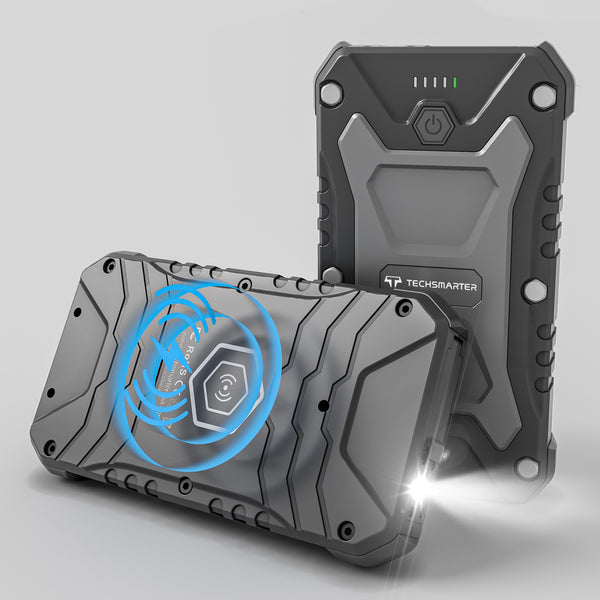
The TSBar Rugged 20K 30W has an approximate three-hour recharge time with a compatible 30W USB-C wall charger, sold separately. It is a convenient routine to build into the evening before your next outdoor day.
Choose a wall adapter with the input profiles your bank uses. Our USB-C wall charger guide explains compact and multiport Techsmarter options.
Make your own repeatable charging check
- Start from a similar indicated battery level each time.
- Use the same suitable adapter, cable and input port.
- Disconnect devices drawing power from the bank during the comparison.
- Follow the product instructions for the charging environment and full-charge indication.
- Record the elapsed time and setup rather than judging from one indicator light.
This gives you a useful personal benchmark. If a familiar setup suddenly takes much longer, compare one component at a time or contact support with the details. Avoid buying a larger adapter before identifying the limit.
Record the setup behind a recharge-time result
| Record | Why it changes the result |
|---|---|
| Power bank model and starting indicator | A partial top-up is not a full recharge. |
| Adapter and chosen port | Its compatible profile can limit input. |
| Cable used | Cable capability is part of the charging path. |
| Other devices connected | Their power draw changes the session. |
| Full-charge indication and elapsed time | Use the model’s stated indication consistently. |
For a consistent recharge routine, use the supported adapter and cable. If your usual setup changes, the charging checklist helps you identify the connection that needs attention.
Frequently asked questions
Does a 100W wall charger recharge every bank at 100W?
No. The bank, port, cable and charging protocol must support that input.
Does capacity alone determine recharge time?
No. A larger battery with a higher supported input can recharge faster than a smaller one with a low input limit.
How do I know when charging is complete?
Use the indication described in the exact model’s instructions. LED behavior is not identical across all portable chargers.
Fast charging starts with a well-matched kit
Pair your Techsmarter power bank with a supported USB-C PD adapter for its input. For compatible phones, Techsmarter PPS models also offer one-hour fast charging using the supported setup. You get a battery pack that fits both parts of the routine: refilling at home and charging devices while you are out.
Need help with your setup? Email support@techsmarterusa.com with your device model.
Sources and product details
- USB-IF: USB Power Delivery
- TSBar Rugged 20,000mAh 30W specifications
Techsmarter model details are available on the product pages linked throughout this guide.